
Troubleshooting

How to: Configure Proximity Lock / Unlock

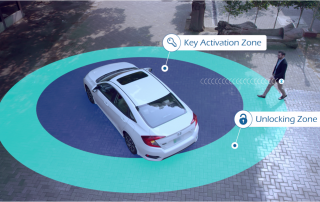
One of the best features using MoboKey in the car is proximity lock and unlock. Using this feature, our users do not need to tap on any button on the phone to lock/unlock the car! The car unlocks when you approach the car and locks when you move away from the car. Before setting the proximity, set up the antenna at the correct position. Setting the antenna is fairly simple. There are two places where you can set the antenna. The following are the possible places. On the side panel ........
How to: Setup an account on Mobokey

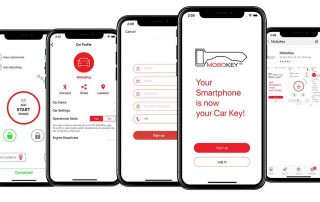
Setting up an account on Mobokey is quite simple. It is not different from setting an account on any other app. Starting with downloading the application. There are some requirements to download the app. For Android, the Android version should be 5.0 or more and for iOS, it should be iOS 10.0 or more! Setting up you Mobokey Account Go to Play Store or App Store! Search for Mobokey. And it will appear with the logo! Download the app. Once the app has been downloaded.   Open the application. You will ........

Go to Top